
Mini-split deep cleaning
A protected, documented cleaning of accessible internal components, without pretending that cleaning solves mechanical faults.

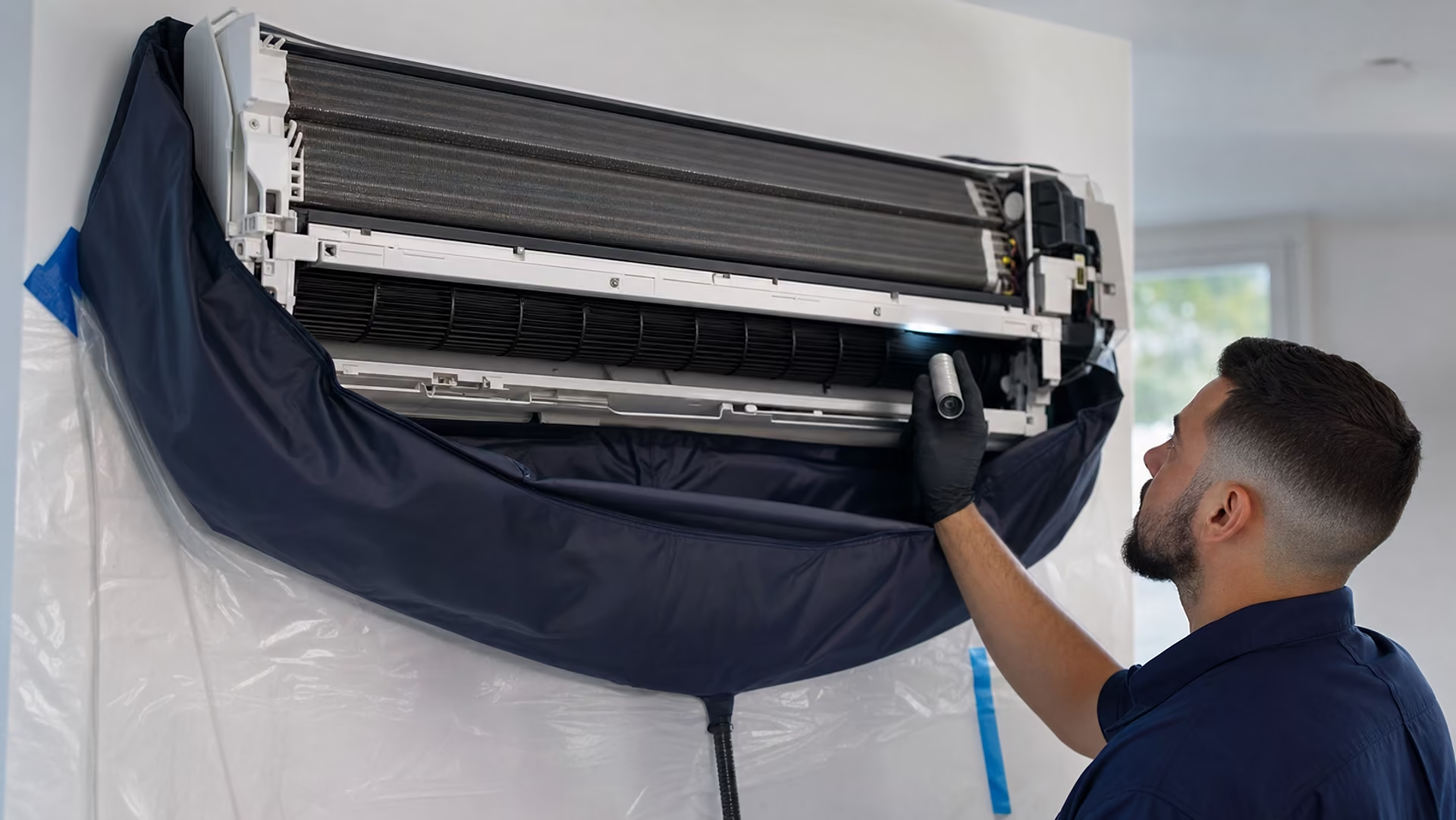
More than a filter rinse
Visible buildup gathers on the coil face, blower wheel, drain pan and housing. We protect the room with a cleaning bag, use controlled methods, clear the accessible condensate path and photograph the result at both ends.
What’s included
Protective cleaning bag
Filter inspection and cleaning
Accessible coil area
Blower wheel and housing
Drain pan and condensate path
Controlled rinse and cleanup
Before-and-after documentation

Service duration and per-unit pricing are confirmed after equipment review. Cleaning does not correct refrigerant, electrical or mechanical faults.
Mini-split cleaning answers
01What happens during a mini-split cleaning?
We protect the room, open accessible components, inspect the unit, clean approved coil and blower areas, address the drain pan and line, then document the result.
02How often should a mini-split be cleaned?
The right interval depends on use, pets, filters, humidity and visible condition. An inspection is more useful than a universal schedule.
03Does mini-split cleaning fix a refrigerant or electrical problem?
No. Deep cleaning addresses accessible buildup and drainage. Refrigerant, electrical, control and mechanical faults require separate diagnosis and qualified repair.
Free estimate
Share what you know. “Not sure” is a valid answer at every step.
1Service2Property3Equipment4Concern5Photos6Contact

Ready when you are
Tell us the system type, what you have noticed and where the property is. We will help you work out the most appropriate next step, including when the answer is “nothing yet”.